PIN vs Pattern vs Biometrics: Which One Actually Stops a Thief?
PinGuard Team · August 19, 2026 · 5 min read
You picked your screen lock during phone setup. It took maybe ten seconds, you were keen to get to the home screen, and you have not revisited it since.
That decision is doing more work than almost any other security setting on your device — and the way phones are actually stolen has changed since most people made it.
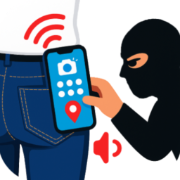
The old threat model assumed a thief takes your locked phone and then tries to break in. That still happens. But the common pattern now is the reverse: someone watches you unlock the phone first, and takes it second. Under that threat model, the three lock types do not rank the way most people assume.
Pattern: the one that looks strongest and isn't
Patterns feel secure because they seem to have enormous variety. In practice they have far less than the grid suggests.
Three things work against them:
They are unusually easy to read from a distance. A PIN is a sequence of small, similar-looking taps. A pattern is a single continuous gesture with a distinctive shape — the kind of thing peripheral vision picks up and memory holds onto. Observation research has consistently found patterns easier to recover from a brief glance than PINs, and from further away.
People choose predictably. Given a 3×3 grid, human beings overwhelmingly start in a corner — most often the top-left — and move in continuous, unbroken directions. A large share of real-world patterns are drawn from a small, well-known set of shapes. Attackers know the popular ones.
They leave a physical trace. The smudge left by a repeated finger gesture on a glass screen is often legible under an angled light, and unlike a PIN it records the order as well as the positions. This has been a documented attack since 2010.
If you keep a pattern, at minimum: use six or more dots, start somewhere other than a corner, and cross over your own path at least once. Crossing lines defeats most of the shape-recognition advantage an observer has.
PIN: unglamorous and better than you think
A PIN's weakness is obvious — someone can watch you type it. Its strength is less obvious: watching a PIN gives you less usable information than watching a pattern, because the taps look alike and the sequence has to be memorised as digits rather than a shape.
The length matters more than the digits you pick. Four digits is a small space and, worse, a space people fill predictably — years, birthdays, repeated digits, and a handful of famous sequences account for a startling share of real four-digit PINs. Six digits with no personal meaning is a genuine step up, and the extra two taps cost you nothing you will notice.
What a PIN specifically buys you: it is the only one of the three that is always available. Which brings us to the thing most people get wrong about biometrics.
Biometrics: fast, convenient, and not actually your lock
Your fingerprint is not a replacement for a PIN. Android will not let it be one — when you enrol a fingerprint or face, you must still set a PIN, pattern or password underneath it.
That is not a formality. The underlying code is required in several situations:
- After a reboot. Biometrics do not work until the device has been unlocked once with the real credential. A thief who restarts your phone is back to facing your PIN.
- After a timeout, or several failed biometric attempts.
- For some sensitive changes, where the system insists on the credential itself.
So biometrics are best understood as a convenience layer over your real lock, not as the lock. Their genuine security benefit is specific and worth having: there is nothing for an observer to see. Against the watch-then-snatch tactic, that matters — a fingerprint cannot be shoulder-surfed.
Their weakness is equally specific. A biometric is something you are, not something you know, which means it can be used on you while you are present. Courts in various jurisdictions have treated compelled fingerprint unlocking differently from compelled passcode disclosure, and the practical version of that distinction is simple: a face or finger can be applied to a phone without your cooperation in a way a memorised number cannot.
What to actually set
The combination that fits how phones are really stolen:
- A six-digit or longer PIN with no personal meaning as the underlying credential — no birth years, no repeats, nothing on your social media.
- Biometrics enabled for day-to-day unlocking, so you are rarely typing the PIN in public where it can be watched.
- Know the reboot trick. If your phone is out of your hands, or you are entering a situation where you would rather biometrics were unavailable, restarting the device forces the PIN and disables fingerprint or face unlock until you enter it.
That gives you the observation resistance of biometrics for the ninety-nine unlocks a day that happen in public, with a credential behind it that is worth attacking.
The part the lock screen cannot do
None of this tells you that someone tried. A screen lock is a door — it either opens or it does not, and it never reports back.
That gap is worth closing, because a failed unlock attempt is the most useful moment in a theft: the person is holding your phone, looking straight at it, minutes after taking it and while it is still nearby. Our step-by-step setup guide covers turning that moment into a photograph, a location and a timestamp in your inbox.
Pick the stronger lock. Then make it tell you when someone tries it.