How to Protect Your Phone from Street Theft: The Ultimate Security Guide
PinGuard Team · August 19, 2026 · 6 min read
Phone theft is rarely dramatic. There is no struggle and usually no threat. Someone waits for the two seconds your attention is elsewhere — you are helping a child with their shoes, reading a menu, paying at a counter — and your phone leaves with them.
By the time you notice, you have lost two things. The phone, which is replaceable. And your accounts, which are not: email, banking apps, saved passwords, photos, and the second factor for everything else.
The uncomfortable part is that most anti-theft advice arrives too late to matter. "Report it to your carrier" and "erase it remotely" are recovery steps that assume you already know where the phone is and that it is still online. The decisions that actually determine the outcome are the ones you make before anything happens.
There are three of them.
Rule 1: The lock screen has to do more than lock
A screen lock stops a stranger reading your messages. It does nothing else. It does not tell you someone tried, it does not tell you when, and it does not tell you who.
That gap matters because the failed unlock attempt is the single most useful moment in the whole incident. It is the one instant when the person holding your phone is looking directly at it, in good light, at arm's length — and it happens within minutes of the phone leaving you, while it is still nearby and still on a network.
So the first rule is to make a wrong PIN do something. A failed attempt should be a trigger, not just a rejection.
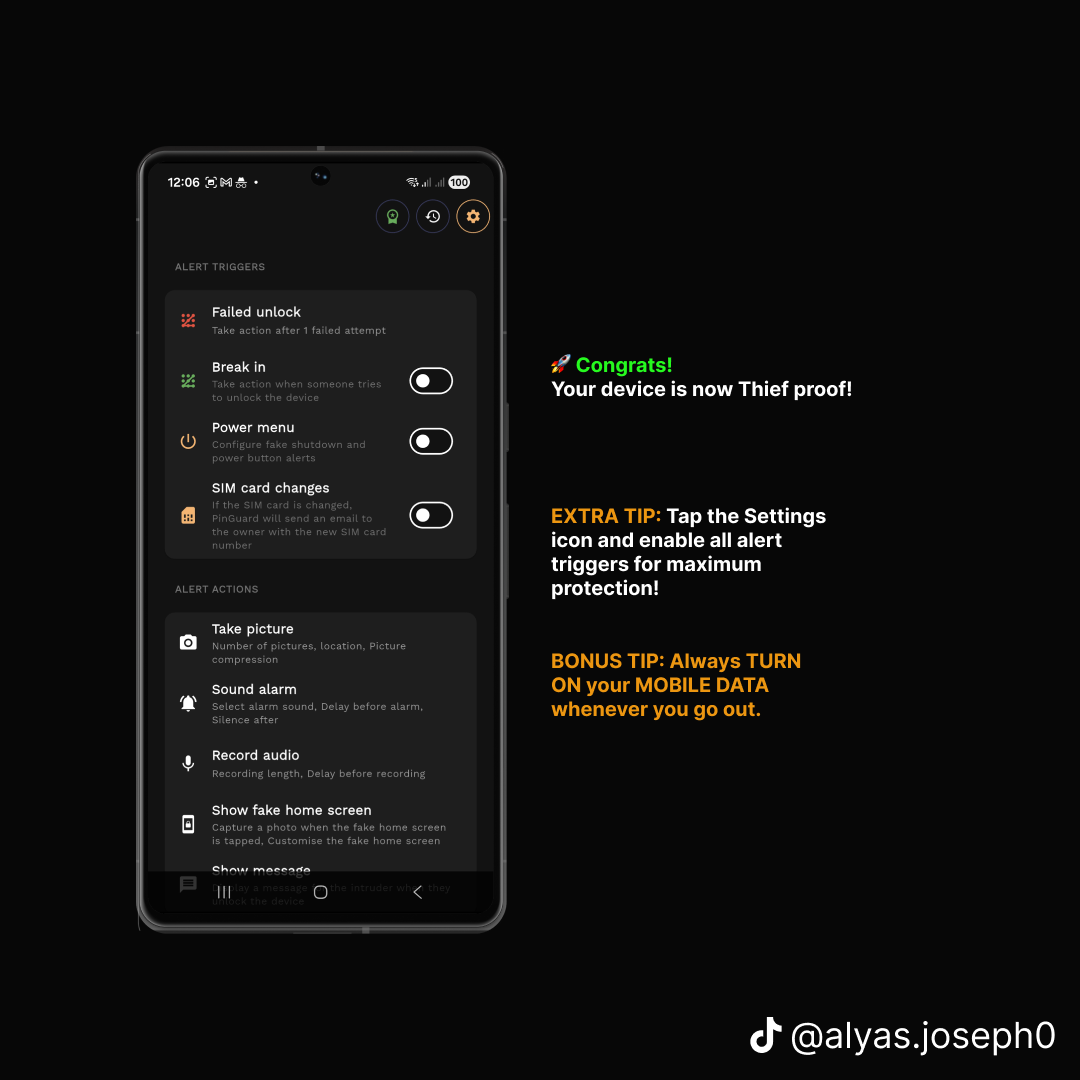
A practical setup treats these as trigger conditions:
- A failed unlock — the obvious one, and worth setting to a single wrong attempt rather than three or five
- Break-in attempts — repeated tries at the lock screen
- The power menu — thieves reflexively try to switch the phone off, so a fake shutdown that keeps the device alive is worth more than it sounds
- A SIM change — swapping the SIM is the standard first move, and it is a reliable signal the phone is gone for good
Rule 2: Capture the evidence silently, and get it off the phone
Evidence stored on a stolen phone is not evidence. It leaves with the device.
Whatever you set up has to do two things in the same breath: record what is happening, and immediately send it somewhere you still control. Email is the practical choice, because you keep access to your inbox no matter what happens to the hardware.
What is worth capturing at the moment of a failed unlock:
- A front-camera photo. The person is looking at the screen. This is the shot that identifies them.
- The location, with a timestamp. A photo alone proves someone had it. A photo plus coordinates plus a time proves where and when.
- A short audio clip. Often the most informative of the three — background noise tells you whether the phone is in a vehicle, a crowd, or a room.
Two smaller features matter more than they appear. A fake home screen encourages the person to keep tapping instead of powering the device off, which buys you more captures and more location pings. And blocking uninstallation via device admin means the app cannot simply be removed by someone who notices it.
None of this makes noise. The point is that the person holding your phone has no idea any of it is happening.
Rule 3: Plan the recovery before you need it, and never do it yourself
Once the alerts arrive, the temptation is to open the map and go to the address. Do not.
You will be walking, alone, toward someone who has already committed a crime, in a place they have chosen. What you have — a photo, a timestamp, GPS coordinates, an audio recording — is exactly the package a police report needs, and it is far more than most reports ever include. Hand it over and let them act on it.
Three things make that handover work:
- Live location, not just the last known one. A single pin tells you where the phone was. A live map tells the police where it is now.
- Evidence with metadata intact. Times and coordinates attached to each capture, not screenshots pasted into a message.
- A second device that can reach yours. Android's Find My Device can still lock or erase remotely, and it is worth confirming it is enabled today rather than discovering it is not.
One habit is worth more than any setting: leave mobile data on when you go out. A phone with no connection cannot send you anything. Every feature described here depends on that one thing.
Setting it up: the full walkthrough
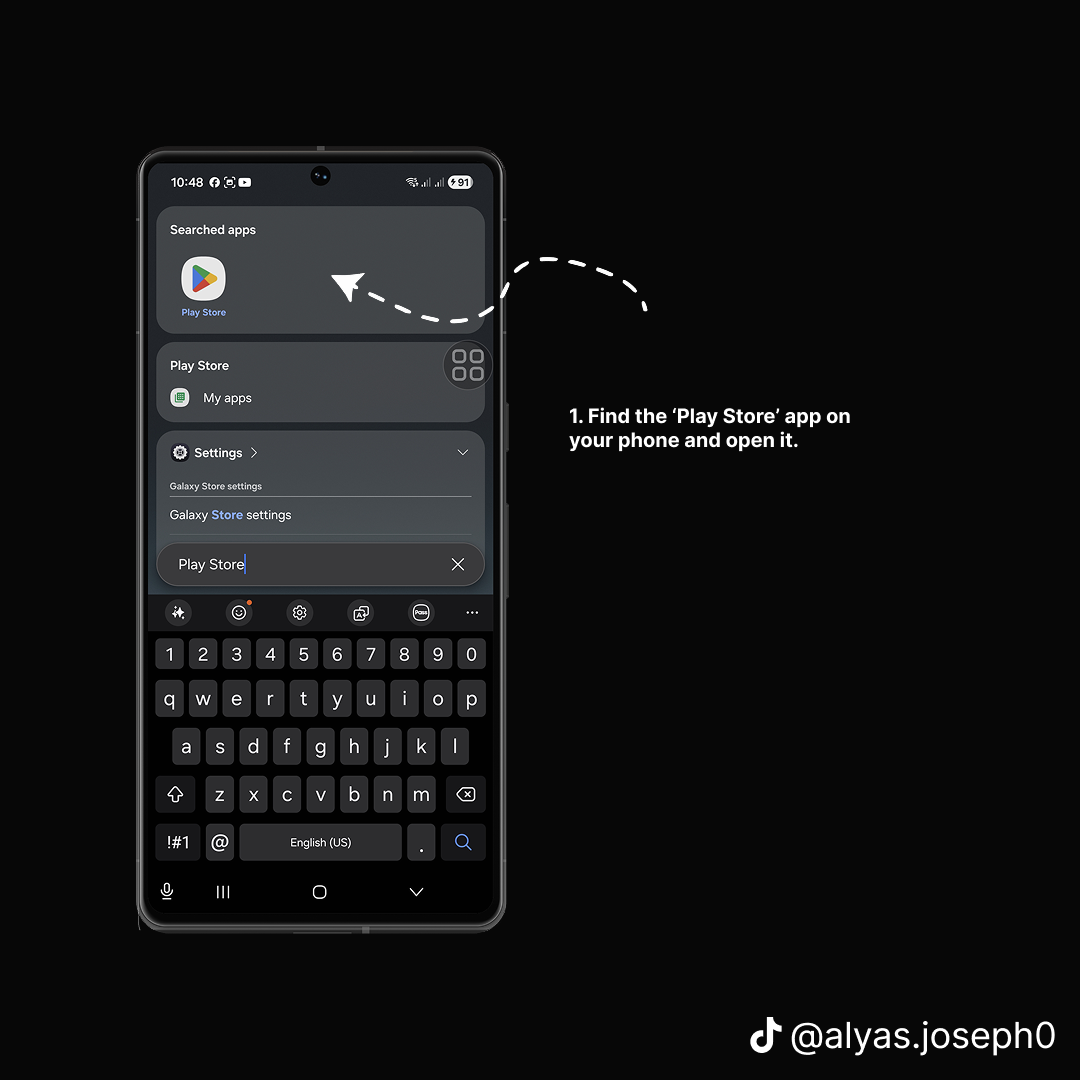
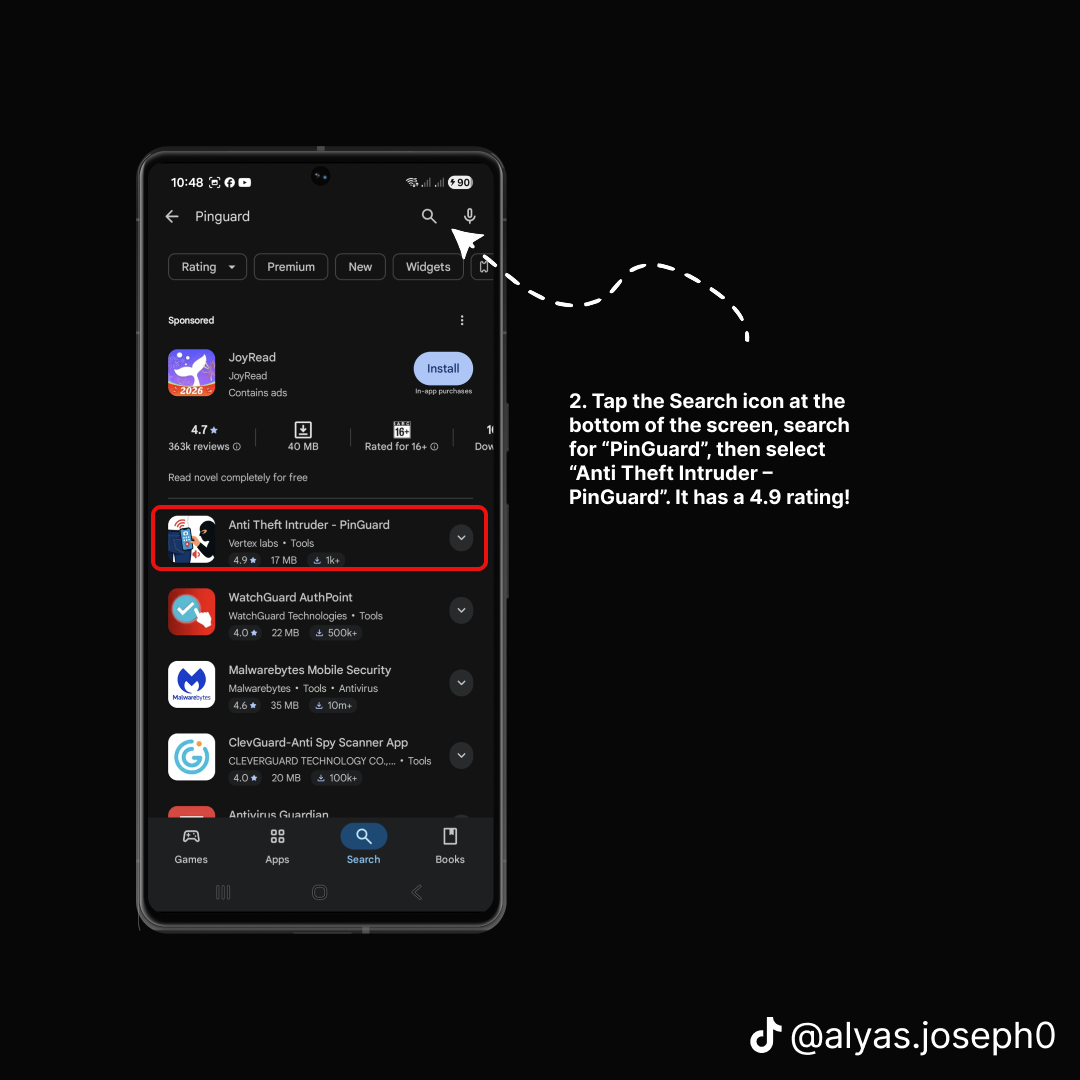
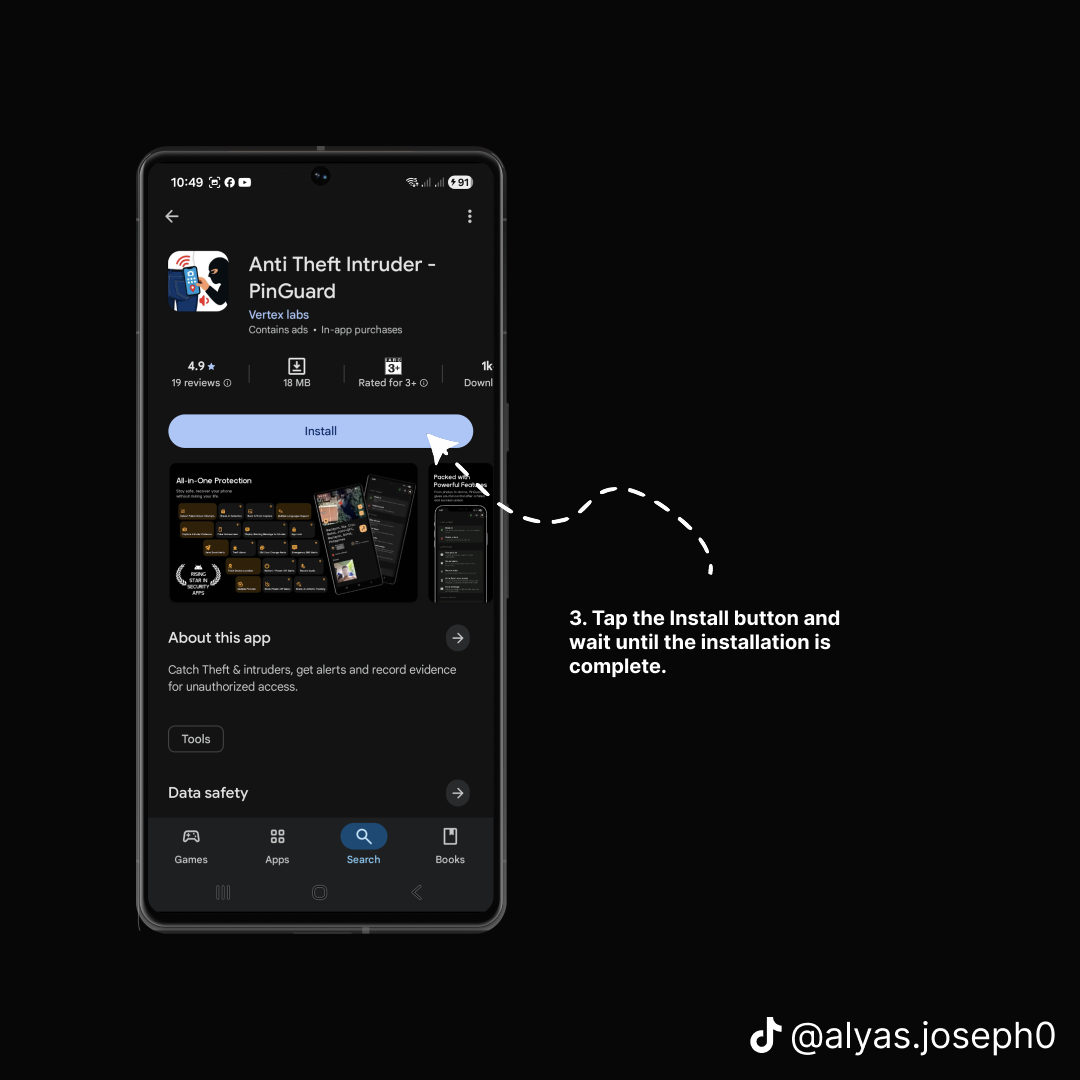
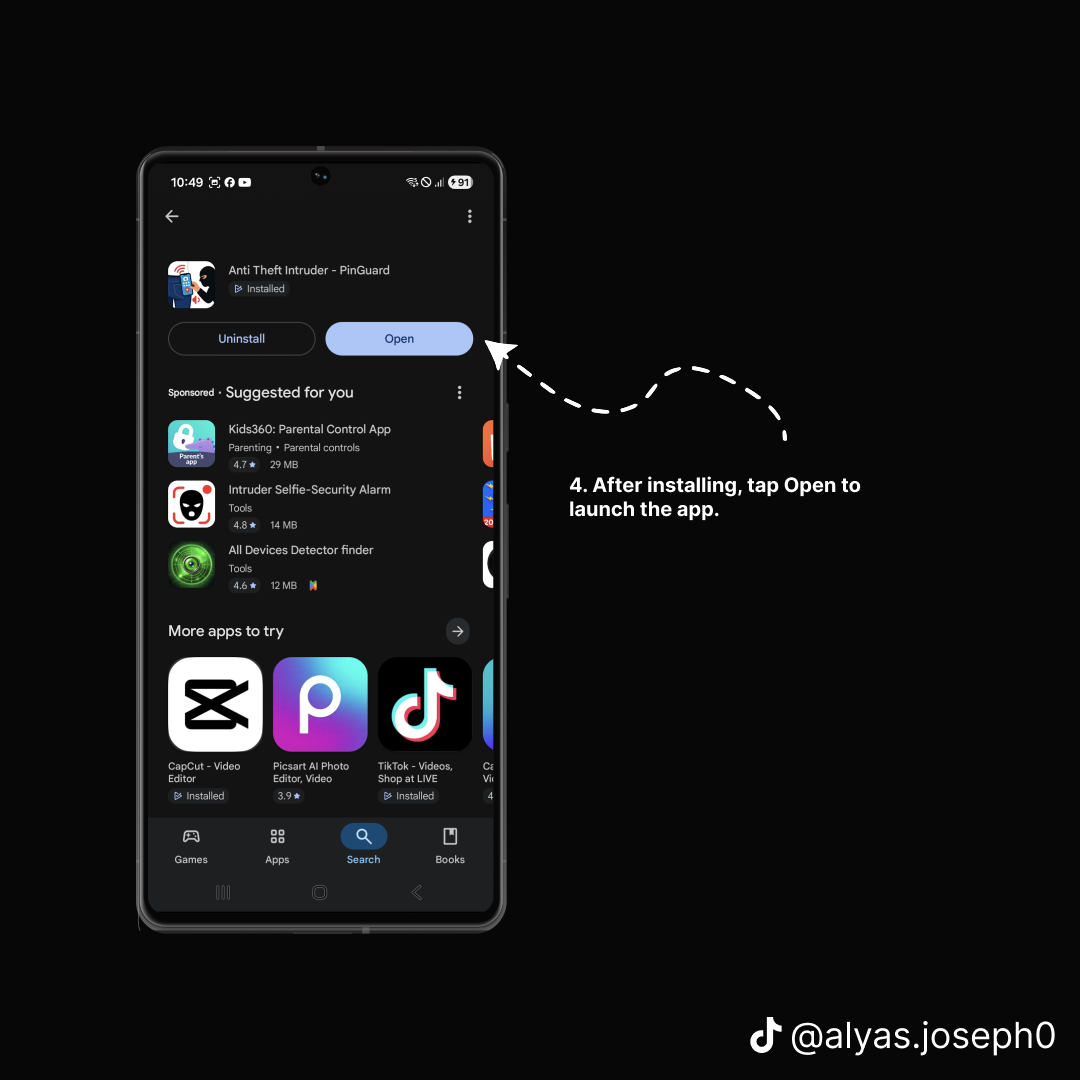
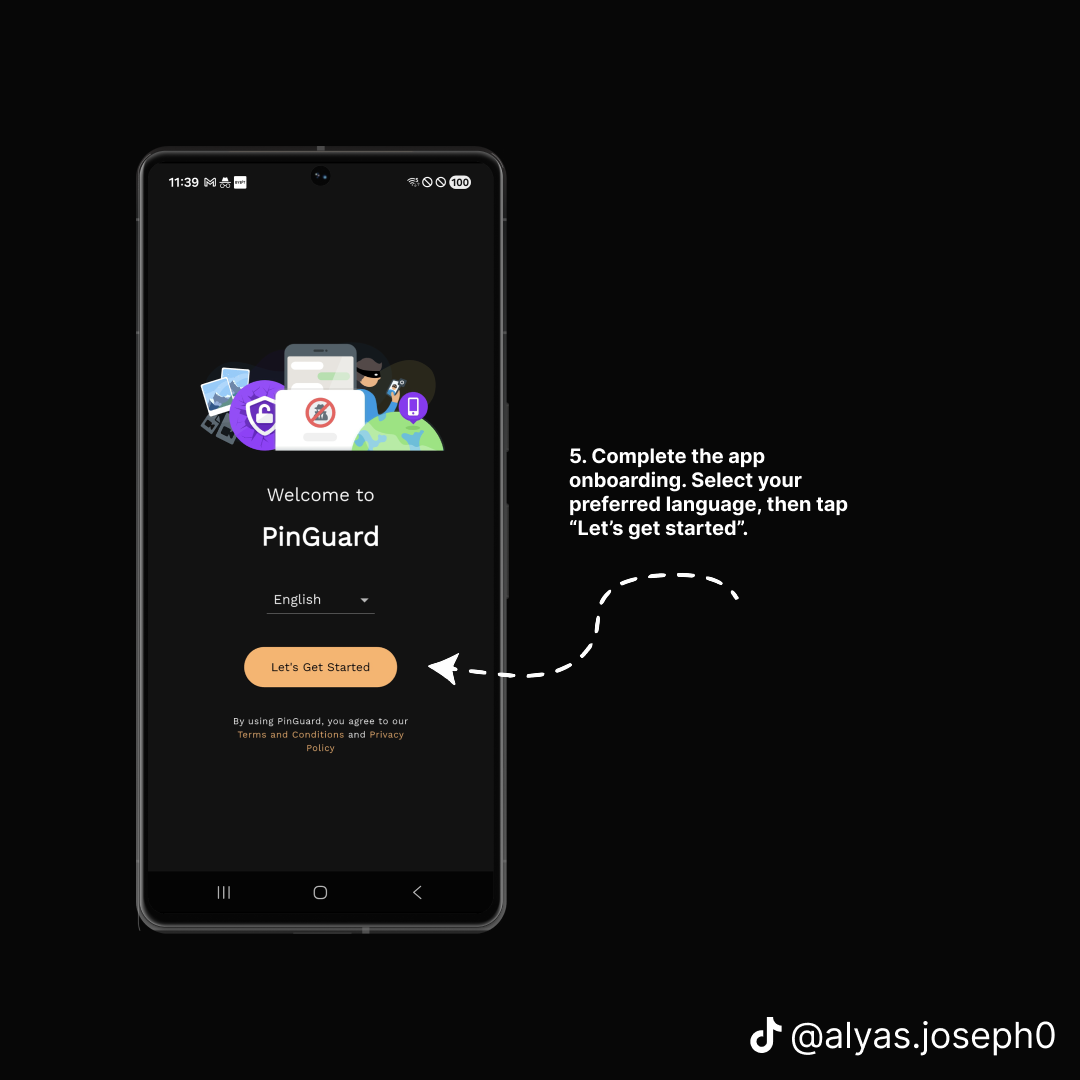
Below is the complete setup, screen by screen, using PinGuard. It takes about five minutes, and step 13 has you trigger it deliberately so you can see exactly what an alert looks like before you ever need one.
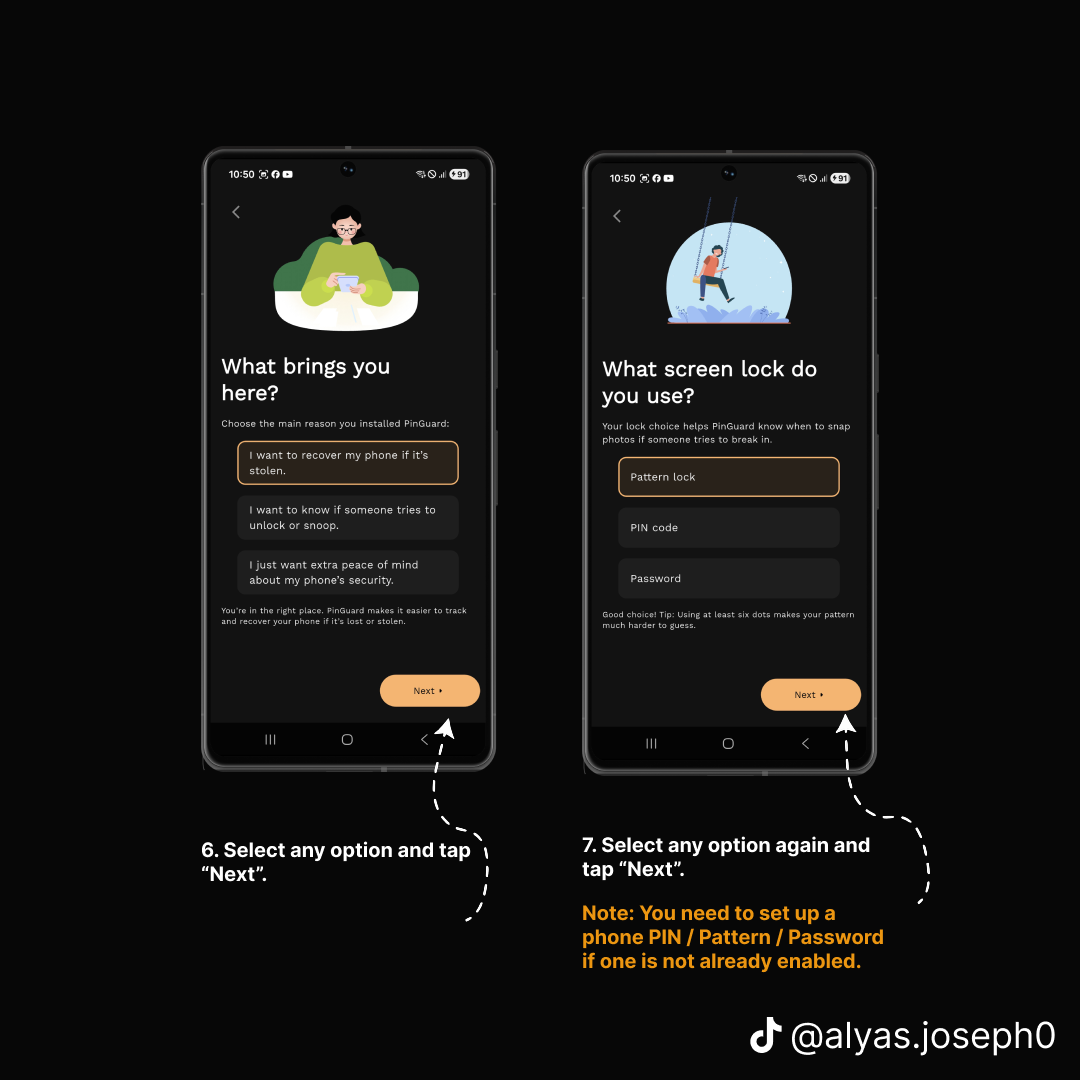
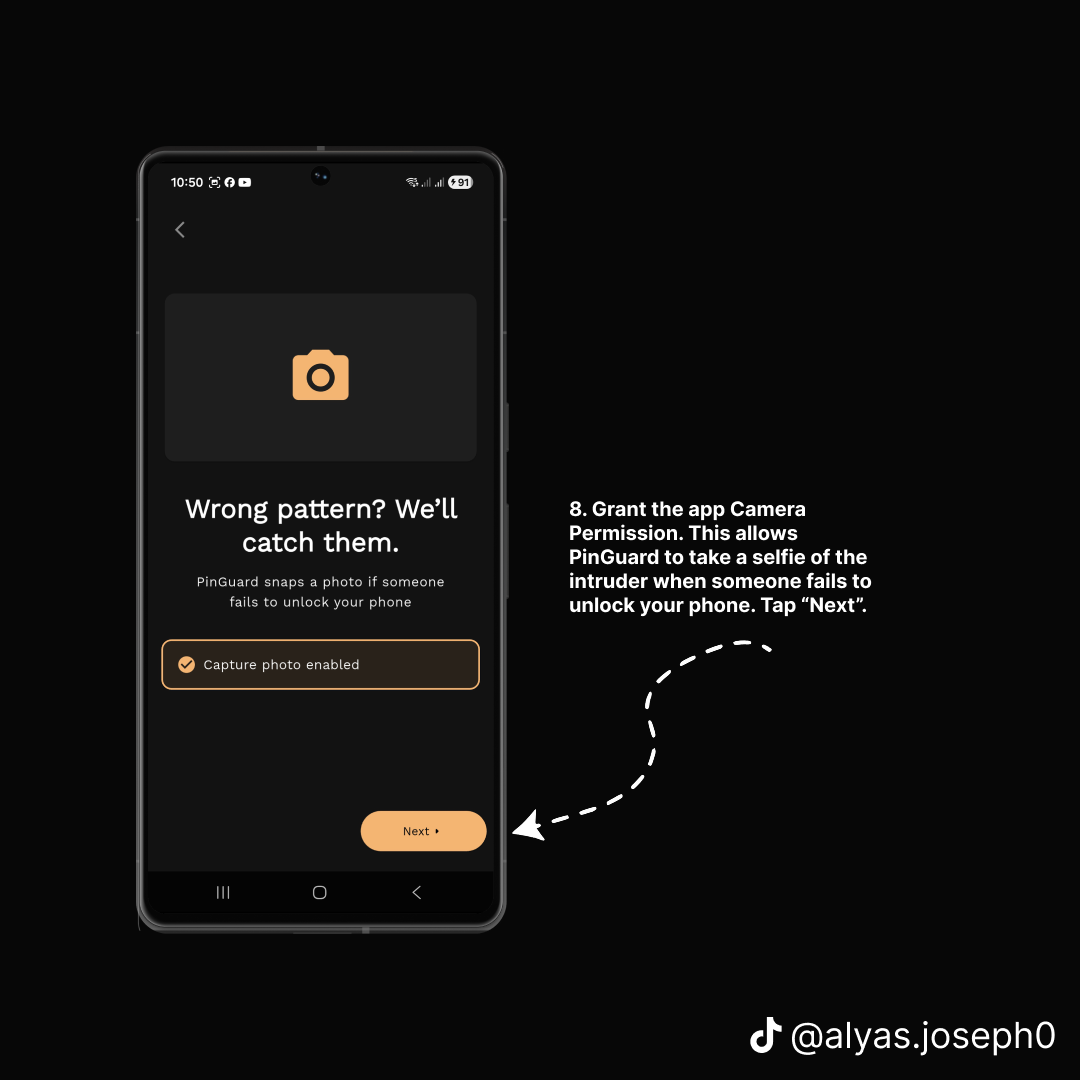
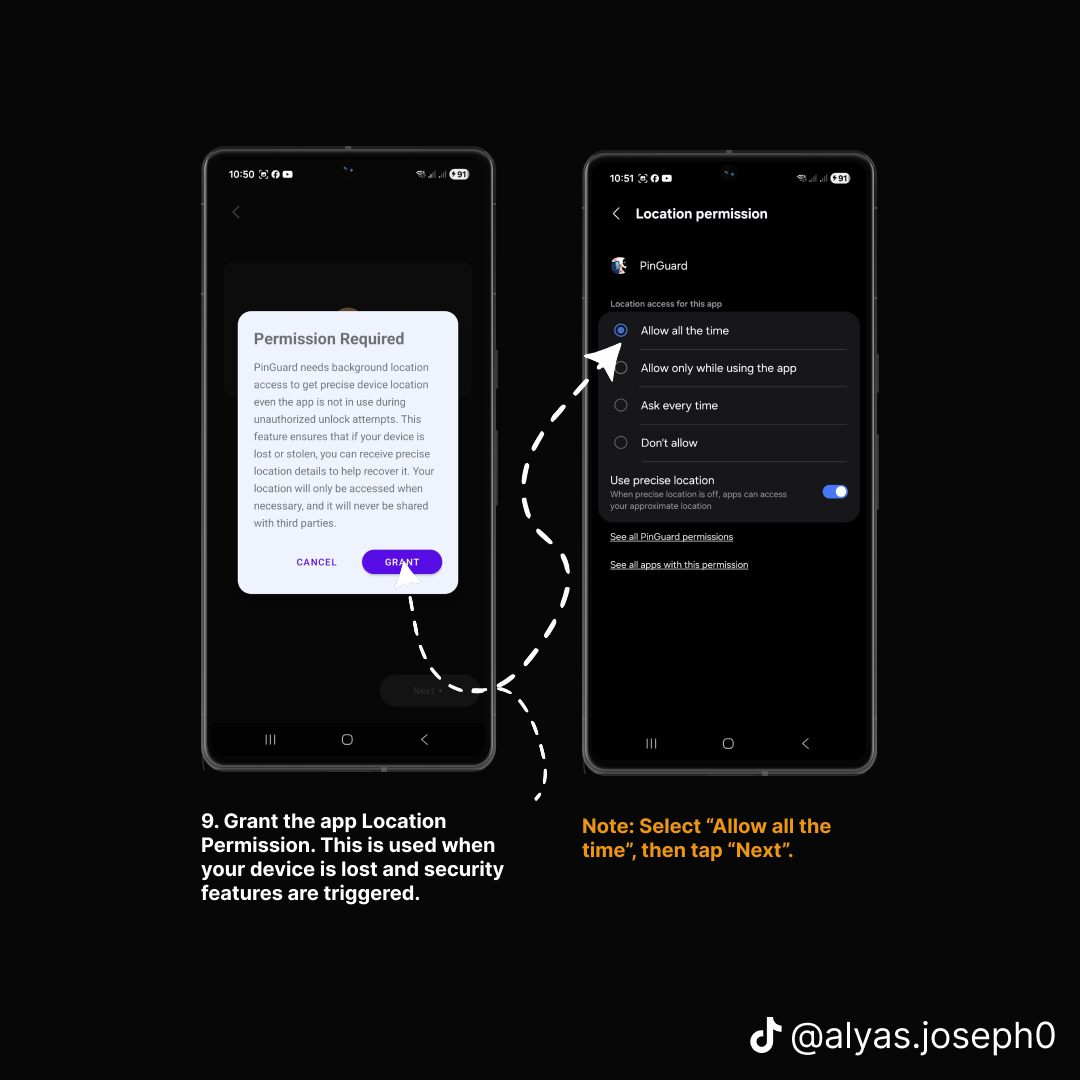
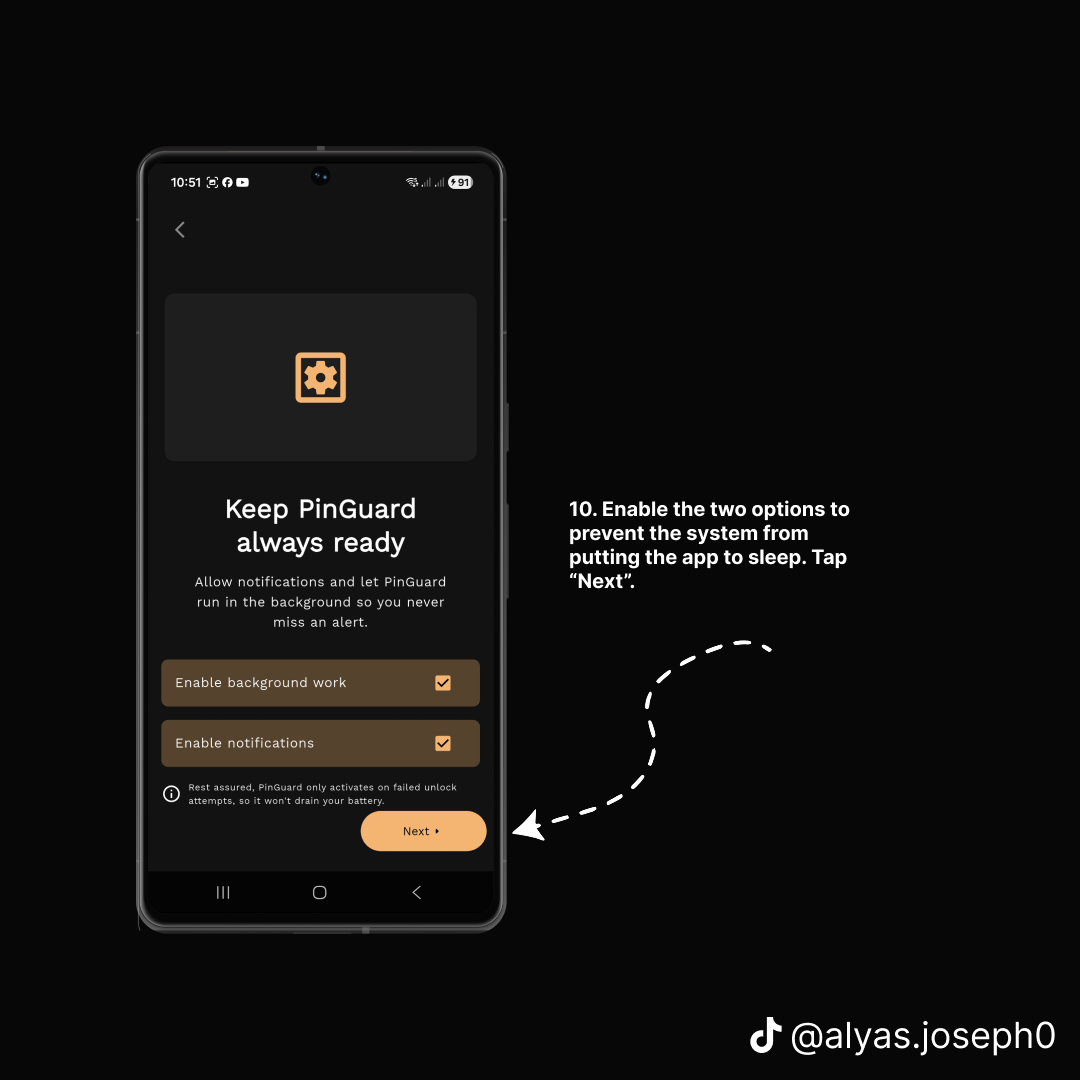
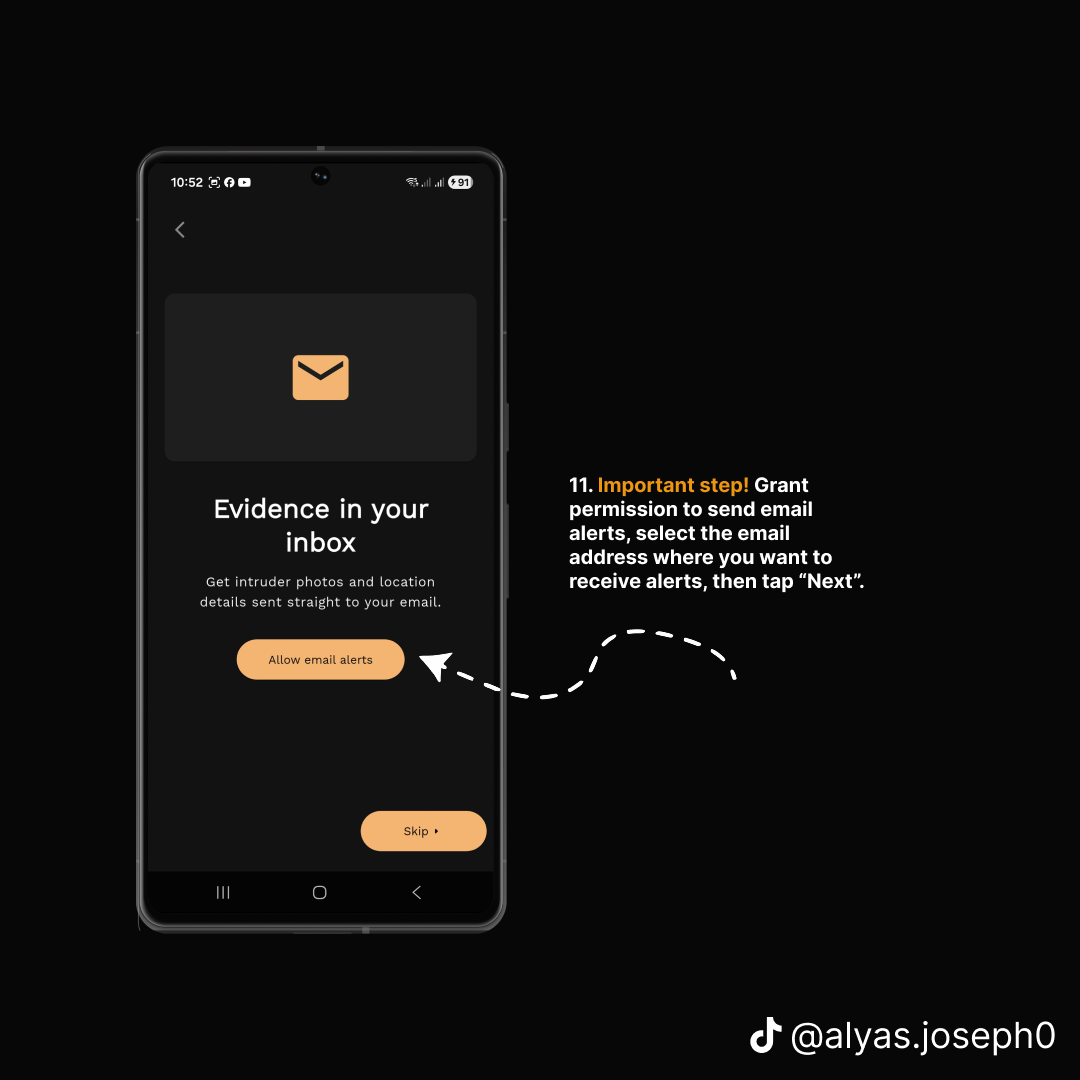
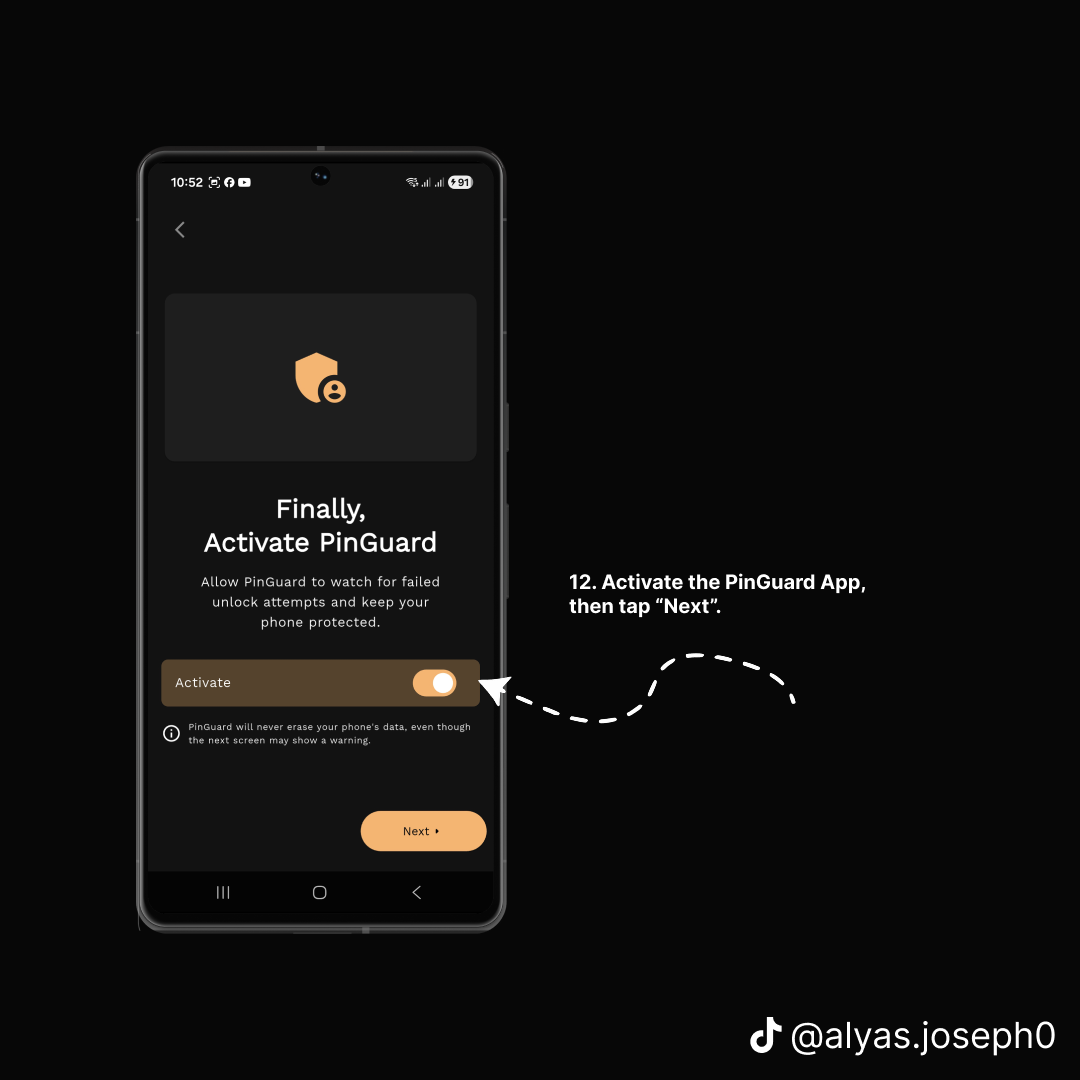
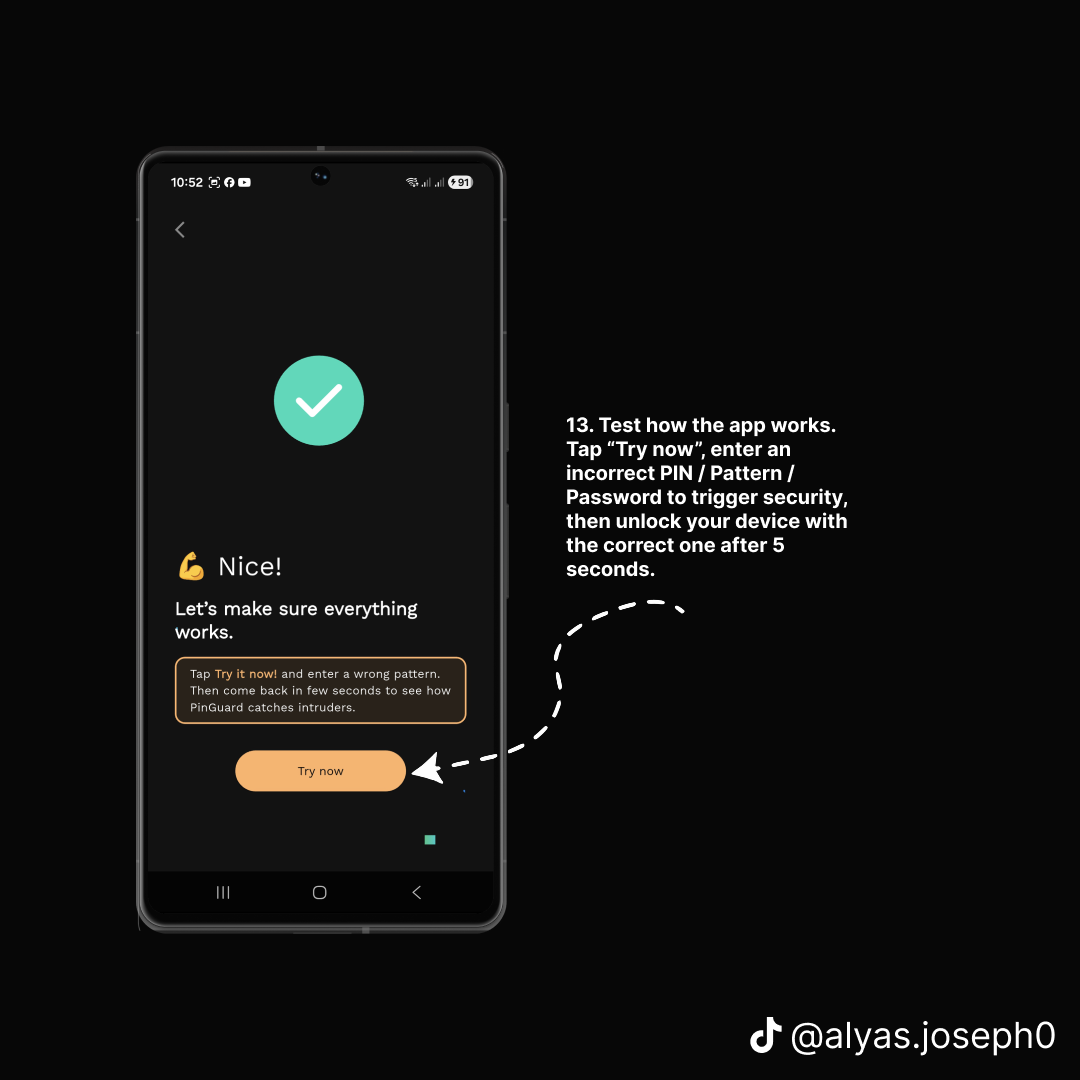
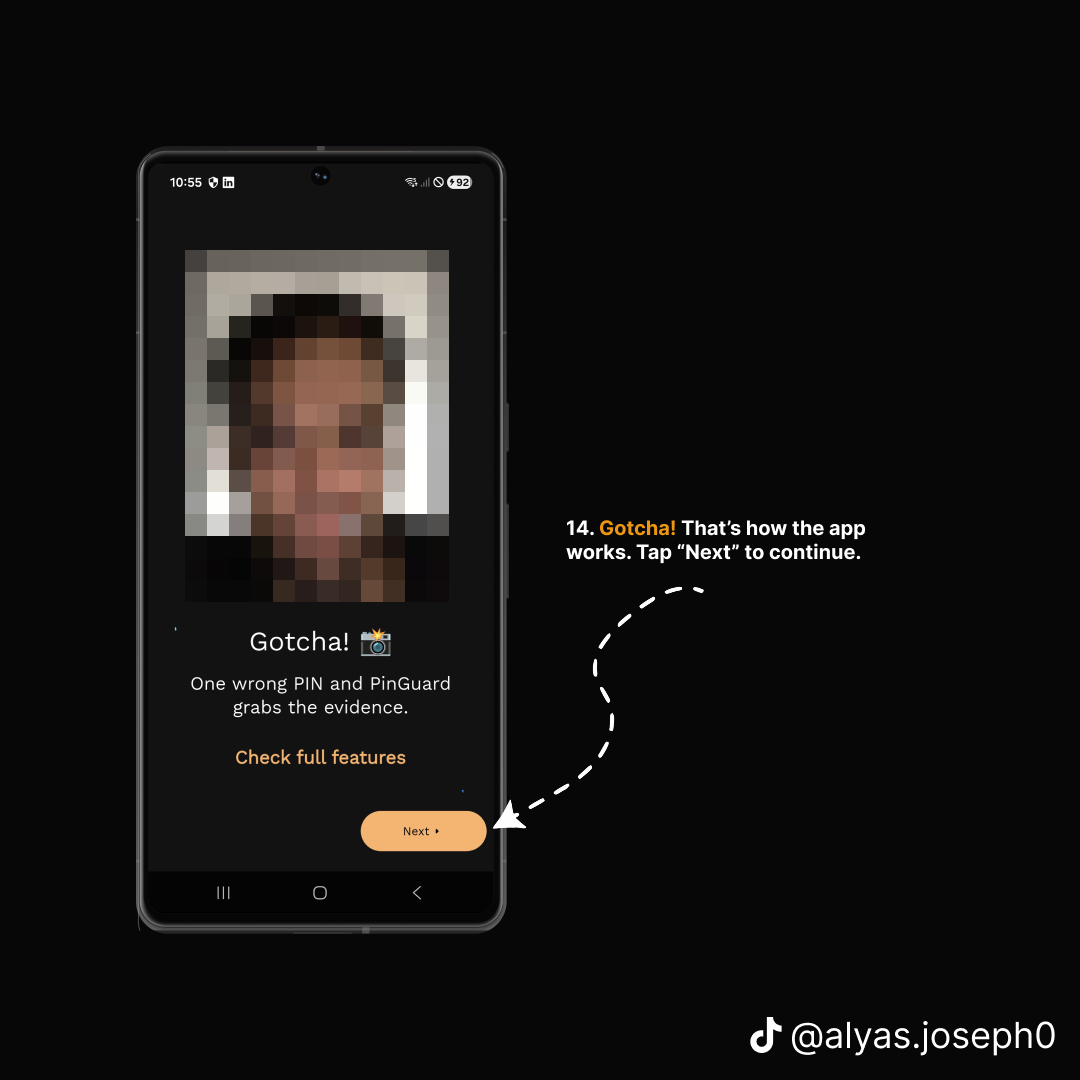
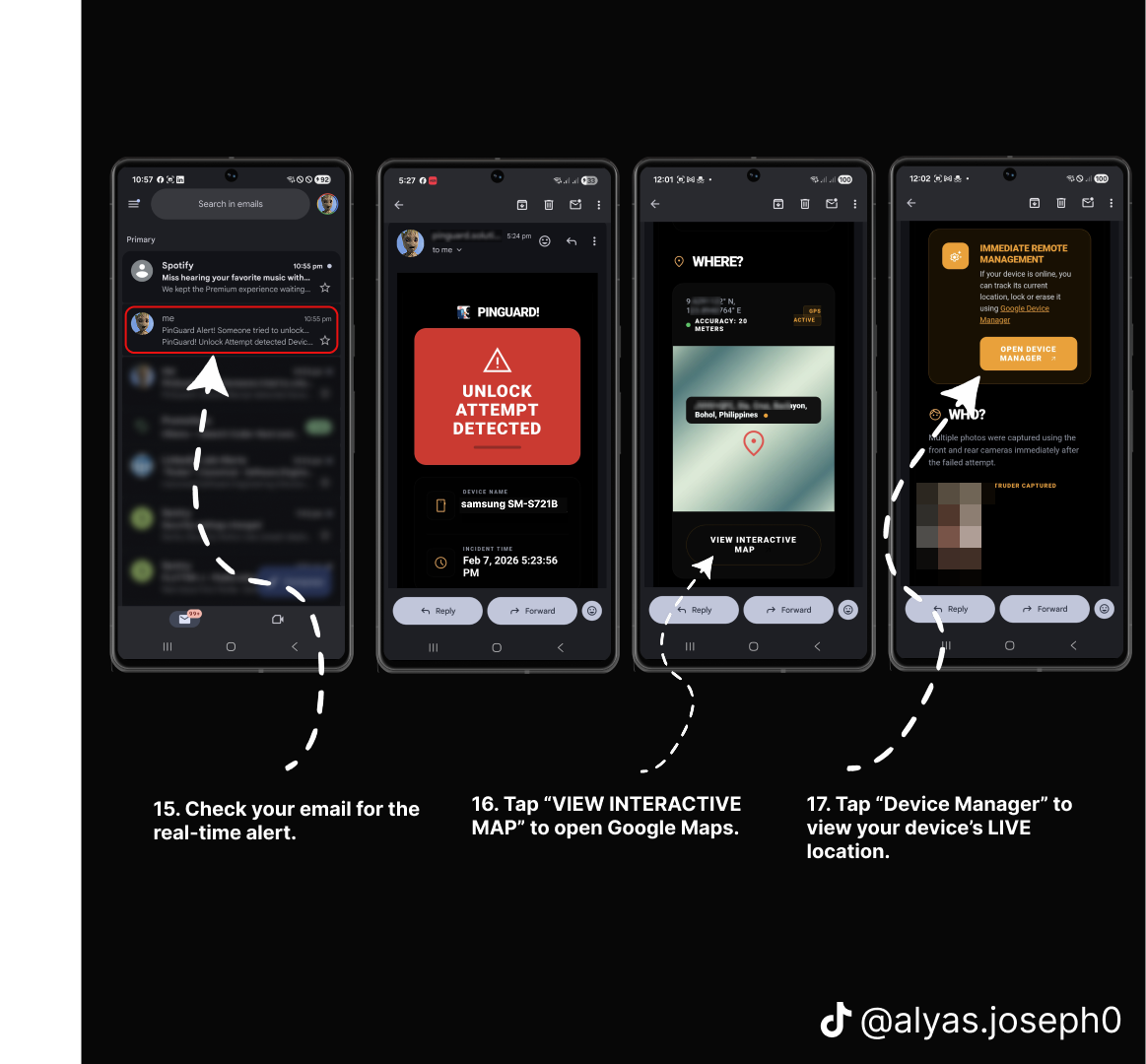
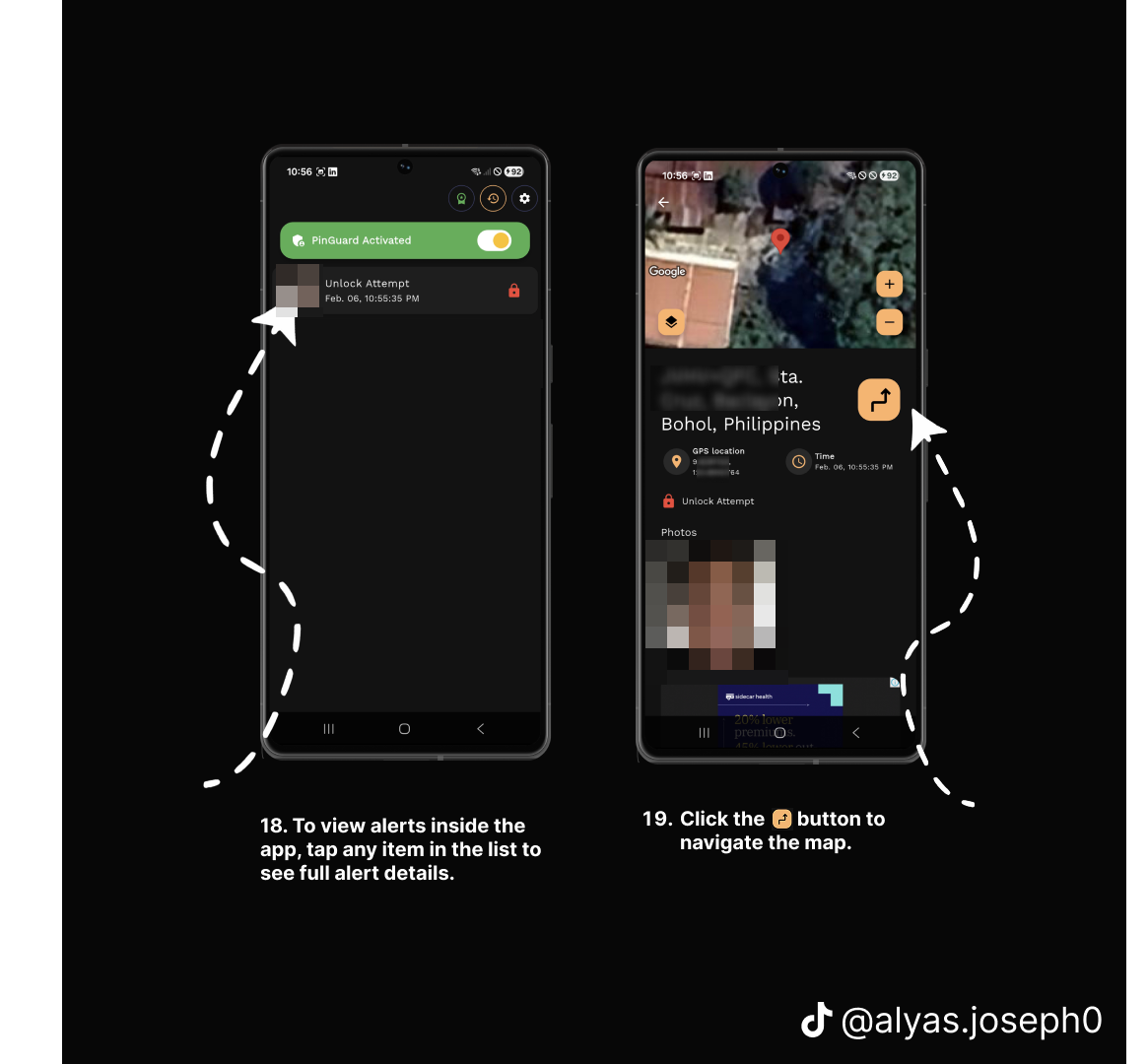
Step 1 of 16
Tap any step to view it full size
Step 1 of 16
A note on step 9: PinGuard asks for "Allow all the time" location access rather than "only while using the app". That is not incidental. A stolen phone is by definition not being actively used by you, so location access limited to foreground use would produce nothing at the only moment it matters.
Likewise step 10 — allowing background work — exists because Android aggressively suspends idle apps to save battery. An anti-theft app that has been put to sleep is not watching anything.
What this actually buys you
It does not stop the theft. Nothing installed on a phone can stop someone picking it up.
What it changes is what happens next. Instead of noticing the phone is gone and having nothing, you get an email within moments containing a photograph of whoever is holding it, where they were standing, and what time it was — while the trail is still fresh and while the device is still close enough to matter.
That is the difference between an incident report with no leads and one with a photograph attached.
Set it up before you need it. That is the whole point.
Get PinGuard on Google Play — free, and the setup above is the entire configuration.